

Interactive capability workshop

Practical AI for Business Development

A two-hour, hands-on workshop using Cater Care-approved Google tools—built around better work, safer use and repeatable habits.

26 August 20261:15–3:15 pmBrisbane Square Library
Complete the 3-minute check-in

Your answers help Bobby and Steven focus the session on the work that matters most to you.

120minutes
1

Understandwhat the tools can and cannot do

2

See itin a live business-development workflow

3

Practisewith a prompt relevant to your role

4

Take it awaywith resources and a 30-day action

People first. Technology second.AI accelerates better work; it does not replace judgement, accountability or client relationships.

The complete session

What happens during the two hours

Select any module to see its purpose, live activity and practical takeaway.

10 minutesBobby + Steven

0:00–0:10

Welcome, baseline and responsible use

Why it matters

Set the purpose, confirm the approved tools and establish the safe-use boundary.

What we will do

Complete a two-minute Microsoft Forms pulse survey and share the tasks you want AI to improve.

What you leave with

A clear starting point and a shared understanding of what responsible use looks like.
120 minutes exactly, including 20 minutes for questions and practical discussion.

Live product labs

Learn with the tools Cater Care already approves

Current Google product demonstrations show the experience we will teach. Exact features depend on Cater Care licensing and settings.

Draft, refine and challenge

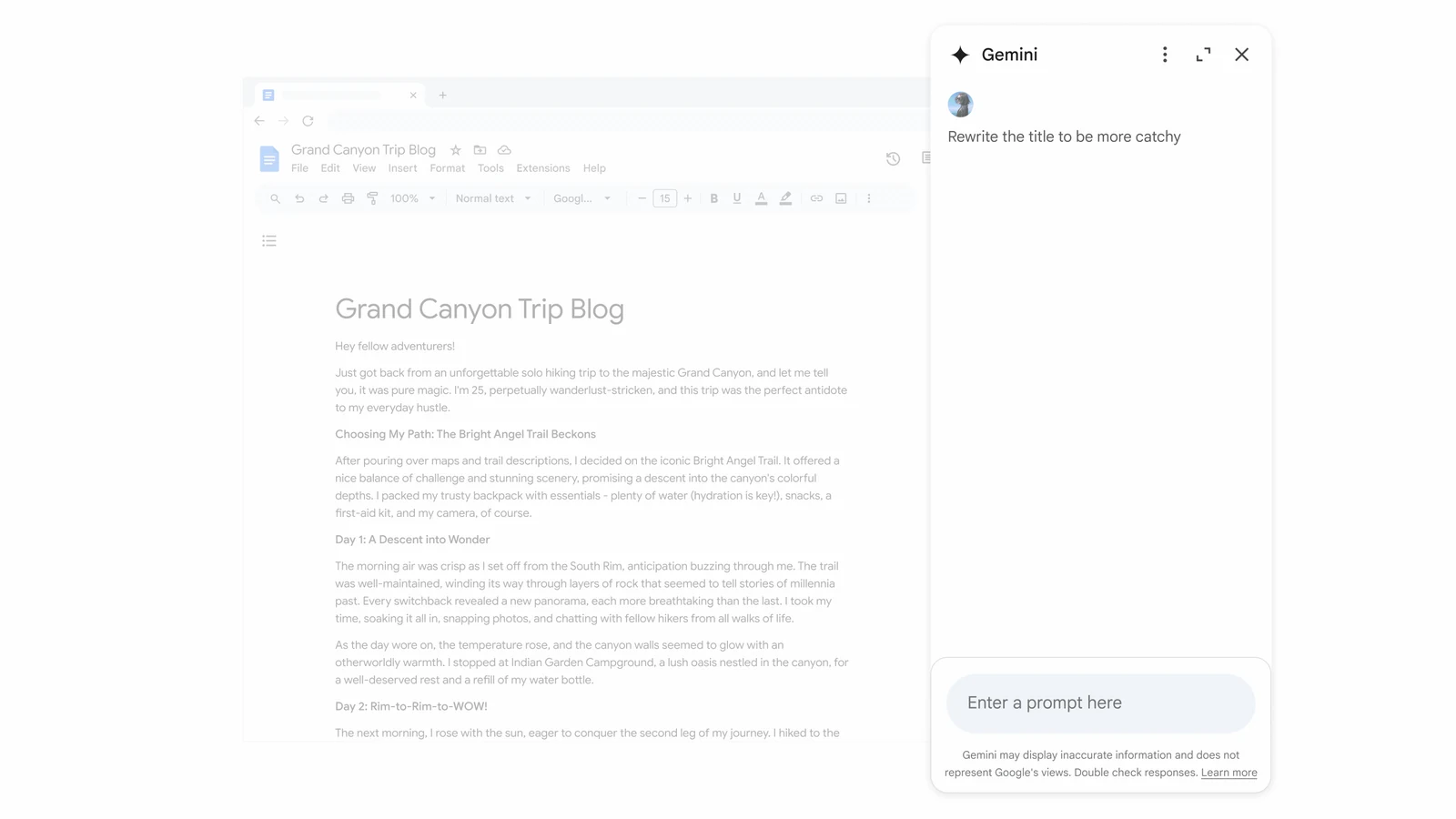
Gemini for Google Workspace

Use a clear brief to move from a blank page to a useful first draft, then iterate with judgement.

  • Structure prompts with context, task, format and constraints
  • Draft discovery questions, proposals and follow-ups
  • Improve tone, clarity and audience fit

Use synthetic, public or expressly approved information during the workshop. Important outputs still require human checking.

Official Google demonstration of Gemini working in the Google Docs side panel
Official Google Workspace product demonstrationInterface may change before delivery.
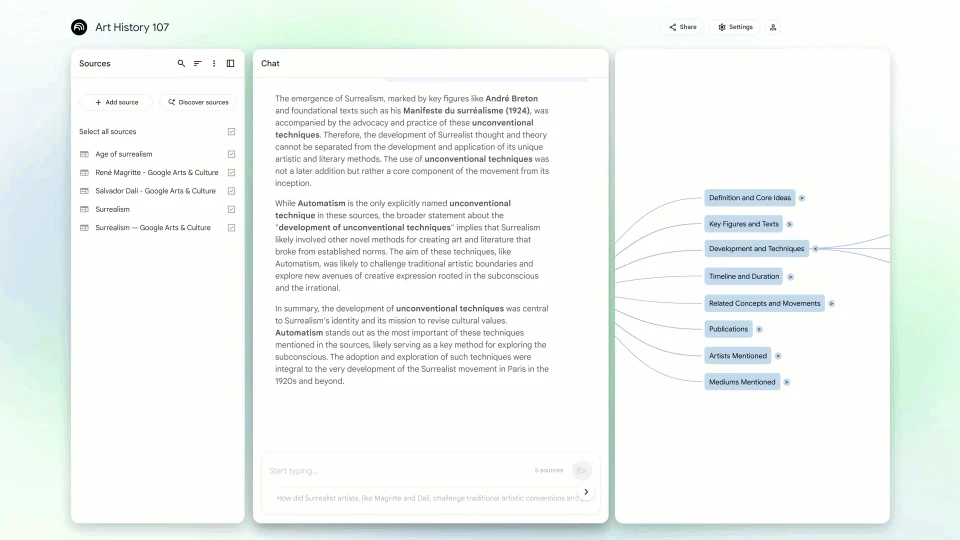
Official Google demonstration of a NotebookLM Mind Map generated from sources

Source-grounded practice

Build a notebook you can question and verify

Participants will add an approved source pack, ask focused questions, inspect citations and create a briefing they can review before use.

  1. 1Add trusted sources
  2. 2Ask a precise question
  3. 3Open the citations
  4. 4Check and adapt the result

Hands-on practice

Choose a challenge that matches your work

No confidential client or employee data is required. Every scenario can be completed with synthetic material.

YOUR PRACTICE CHALLENGE

Business development

Build a prospect brief and discovery questions from approved source material.

CContext
BBrief
AAssess

Included bonus pack

The learning stays useful after 3:15 pm

Cater Care receives an actionable set of guides, prompts, surveys and follow-up resources—not just a presentation.

STEP-BY-STEP01

NotebookLM starter pack

Illustrated setup guide, synthetic source pack, first prompts and citation checks.

COPY + ADAPT02

Cater Care prompt book

Role-relevant prompt patterns for business development and supporting functions.

QUICK REFERENCE03

Digital live-use handbook

Context, examples, reusable instructions, trusted sources and output checking.

MEASURE04

Survey and findings pack

Opening and exit surveys plus an aggregated post-workshop findings template.

PUT IT TO WORK05

30-day action planner

Choose one useful task, define a safe test and decide how success will be checked.

Measurement built in

Start with a two-minute pulse. Finish with a 30-day action.

Microsoft Forms will capture the baseline and exit pulse. Reporting will be aggregated by default and used to identify priority use cases, barriers and recommended next steps.

MICROSOFT FORMSComplete the participant check-inAbout three minutes to complete

Facilitation team

Business application and technical judgement together

BA

Bobby Aitken

Lead facilitator

Presentation, participant engagement and practical business application
SS

Steven Saldana

Technical and responsible-AI lead

Technical accuracy, approved-tool alignment and deeper Q&A
AR

Adrian Robertshaw

Engagement sponsor

Client relationship, workshop outcomes and follow-up alignment

The intended outcome

More confidence. Better prompts. Safer habits. One practical next step.

Participants leave with a method they can use, resources they can keep and a clear understanding of when human review is essential.

Complete the check-in